LibreOffice Base: what the database app does and when to use it
Choose Base for related records and repeatable forms, queries or reports. Check where the data lives and which engine or feature needs Java before building.

LibreOffice includes Base, a database front end for working with tables, forms, queries and reports. Use it when related records and repeatable data entry justify designing a database. I'd keep a straightforward list in Calc; for several people changing shared records, I'd plan the database server before choosing Base as the front end.
Start with the records you need to keep
A growing list doesn't automatically need a database. A sheet containing one row per club member may still be easy to filter and calculate in Calc. Base becomes more useful when the task involves relationships: one member can borrow several items, and each loan needs its own dates.
In that example, a Members table holds each member once. A Loans table records borrowing and identifies the member involved. You can then ask for overdue loans without keeping another manually maintained copy of the member list.
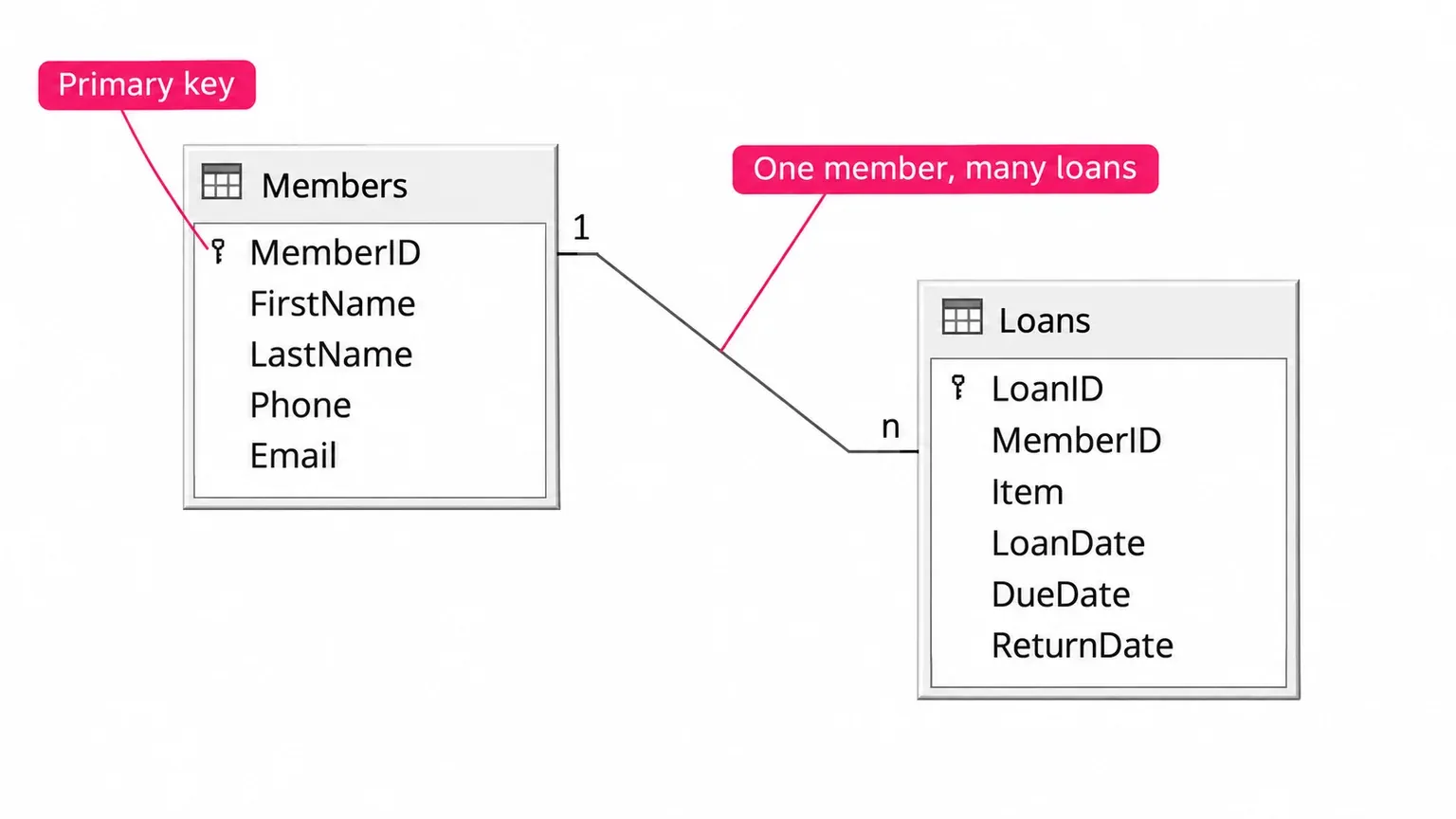
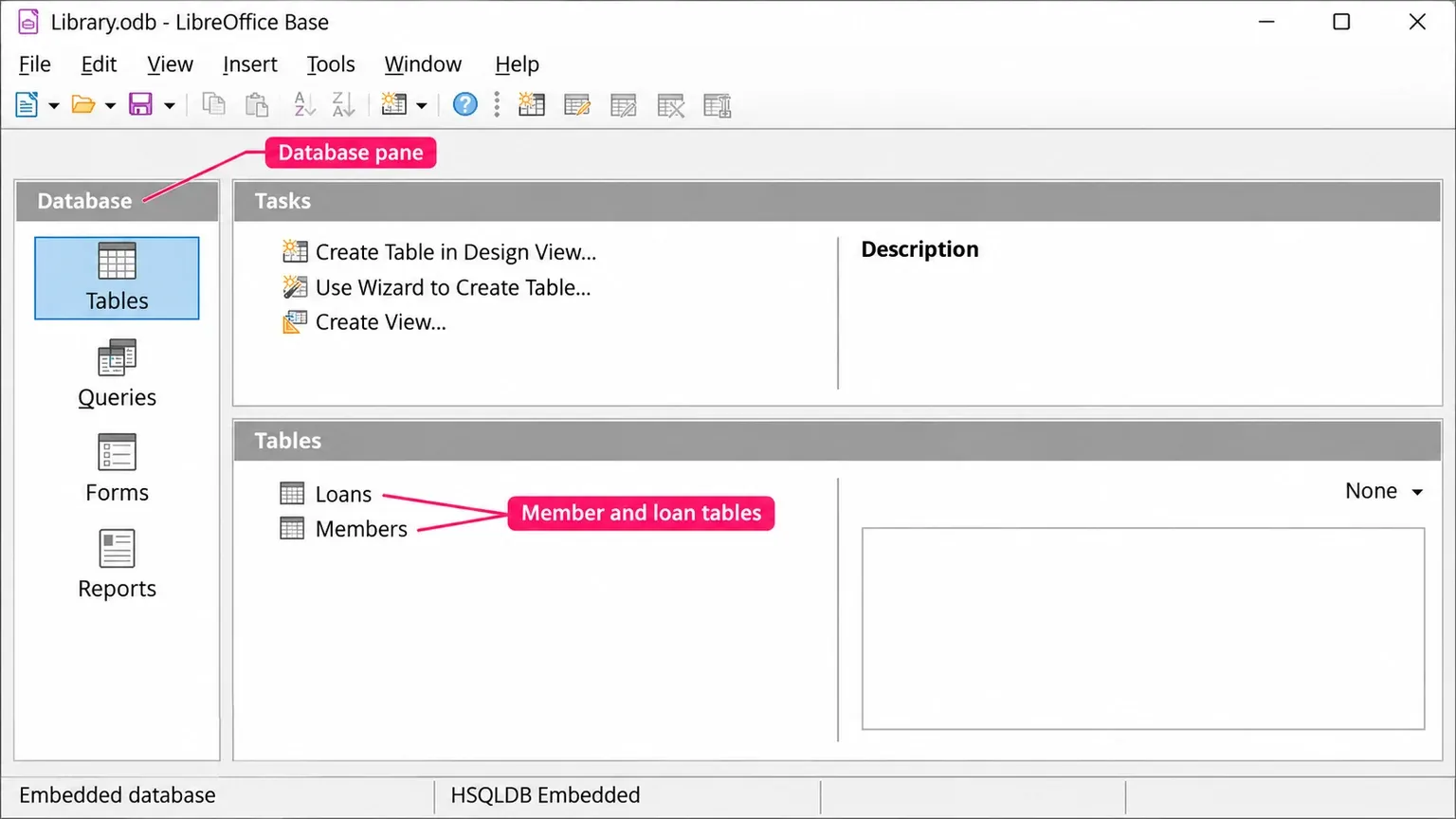
Base supplies the interface around those records. A table holds fields and records; a form gives someone a controlled way to enter or view them. A query asks for a particular selection or arrangement of data, while a report presents results for reading or printing. The Base introduction's explanation of these components is a useful starting point before designing the file.
The Base document and the records can live separately
The .odb extension identifies a Base database document. According to LibreOffice's explanation of database documents, it contains the forms, queries and reports, along with the connection to the stored records. An embedded database keeps its data within the document; an external connection reaches data stored elsewhere.
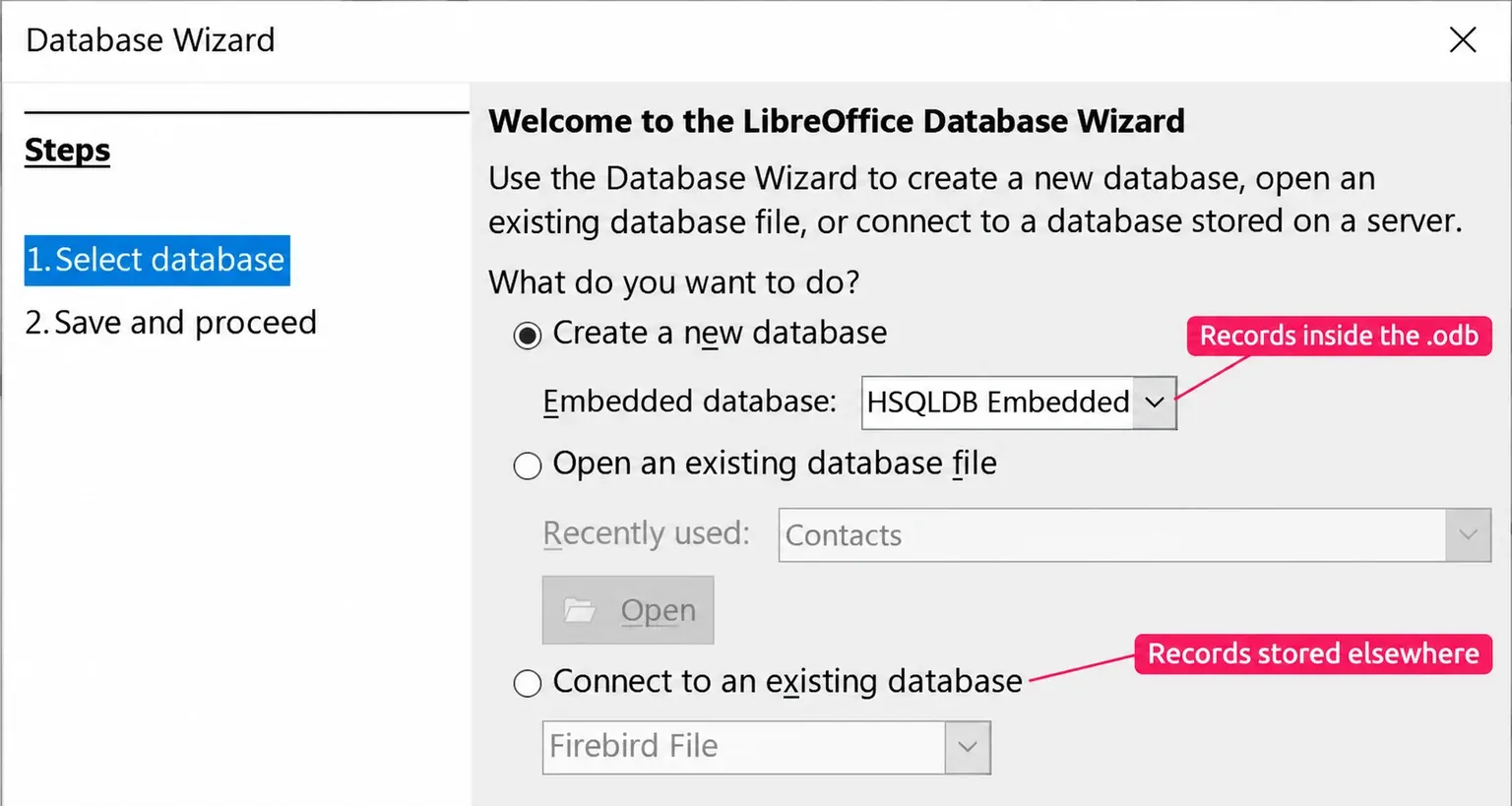
Your backup plan needs to cover the files that hold the records. An embedded document includes them; a front end that points to a server doesn't. In the documented external Firebird file connection, for example, the data is in a separate .fdb file and the Base front end is saved as .odb. An .odb copy alone doesn't copy that external data.
A connection also has its own editing limits. Base treats spreadsheet, text and address-book sources as read-only. Opening a Calc sheet through Base therefore doesn't turn the sheet into an editable relational database.
Choose Calc, a local database or a server
Choose from the structure of the records and the people changing them. Moving a list into Base adds database design and connection maintenance; the benefit needs to be more specific than having a larger file.
| Your task | A sensible starting point | Reason |
|---|---|---|
| One flat list, calculations and occasional filtering | Calc | The sheet already matches the task without a separate database design. |
| Related records, structured entry and recurring queries or reports | Base with a suitable local database | Separate tables and forms can replace repeated details and manually maintained result lists. |
| Several people editing the same records | A server database, with Base considered as a front end | Plan concurrent access and data administration at the database level. |
The server route depends on the backend you choose and its driver. Base's Database Wizard can connect to an existing database such as MariaDB, MySQL or PostgreSQL, or reach one through a JDBC or ODBC driver. The Base Guide 7.2's embedded and external database discussion treats embedded HSQLDB as a database for one user at a time, so I wouldn't use a shared embedded HSQLDB file as the starting point for concurrent writers.
For a server route, establish who administers access and backups before building the forms. If the task still fits a sheet, keep the list in Calc until a specific relationship or recurring output warrants a database.
Check Java by engine and by feature
Java requirements depend on the database engine and the feature you need. Identify your database's engine or external connection, then check the reporting tool separately.
For embedded HSQLDB, the 26.2 Getting Started guide says the engine needs a Java runtime, and so does report creation. Help's Database Wizard page says a new database uses the HSQL database engine by default, and the wizard's Embedded database list shows which engine you're picking. Builds without Java support, and installations with experimental features turned on, start with Firebird instead. Check the engine in your own file rather than changing experimental settings or migrating an existing database to match a tutorial.
For the Firebird engine itself, TDF's Java feature list says it has no Java dependency; that list states its scope as LibreOffice 6.3.
Firebird doesn't make every Base feature independent of Java. Current Help says Report Builder needs an installed and selected Java runtime, with Use a Java runtime environment enabled. For a JDBC connection, the vendor's driver class and class path are separate prerequisites; Help instructs you to add the class path in Advanced and restart LibreOffice.
Windows, Mac and Linux checks
The release notes list two supported lines: 26.8.2 is the Latest release, and 26.2.7 is the Previous, more mature line recommended for enterprises. In both lines, Java is switched on from the same Advanced options page:
- Open Tools > Options > LibreOffice > Advanced. On a Mac, choose LibreOffice > Preferences > LibreOffice > Advanced.
- Select Use a Java runtime environment.
- In the list of installed Java runtime environments, pick one that matches LibreOffice's build: a 64-bit JRE for 64-bit LibreOffice, a 32-bit JRE for 32-bit LibreOffice. On some systems the list takes a minute to fill; if it stays empty, use Add to point to the root folder of an installed runtime.
- Click OK and restart LibreOffice, which some systems need before the change takes effect.
The selected runtime's path appears beneath the list, so you can see which install LibreOffice will use. On Windows, a 64-bit operating system alone doesn't tell you the architecture of both LibreOffice and Java, so match the two installs rather than the PC.
On a Mac, check the package source as well as the processor. The official system requirements specify a JDK for the documented macOS Java route, rather than a JRE alone. The Mac App Store edition is different: its App Store listing from The Document Foundation says that version can't support Java functionality. For embedded HSQLDB or reports, use the download from libreoffice.org instead.
On Linux, Base often comes as a separate package from your distribution. On Ubuntu 24.04 that's libreoffice-base, which recommends the default Java runtime and LibreOffice's Java support files and suggests a separate libreoffice-report-builder package for reports. Install them from the same package source as the rest of the suite.
The Java implementation loader error
Could not create Java implementation loader means LibreOffice couldn't start Java for the feature you opened. The message doesn't name the missing piece, so work through the causes in order:
- Find out whether your package can use Java at all. The Mac App Store edition can't; on Linux, install the distribution's Java packages alongside libreoffice-base.
- Open the Advanced page and make sure Use a Java runtime environment is selected and a runtime is highlighted in the list.
- Match the runtime's architecture to LibreOffice's 32-bit or 64-bit build.
- Restart LibreOffice and repeat the action that showed the message. It should now open without the error.
A missing JDBC driver class path is a separate diagnosis, and adding a driver .jar isn't an established fix for this loader message.
Plan one useful output before creating the file
Write down the result you need, such as an overdue-loans report. Decide which details describe a member and which describe a loan, then identify the field that links them. Also decide where the records will live and who will protect them.
With that small plan, the documented File > New > Database route opens the Database Wizard. The step-by-step guide to creating a database in Base takes it from there, with two related tables, an entry form, a query and a report. If your starting point is an existing Access file, check its platform and driver conditions before choosing a connection. The Base guides collect this site's database articles.