OnlyOffice vs LibreOffice: how the two office suites differ
Choose around the editable master, the return copy and the people editing it. Separate free desktop apps from the services needed for live collaboration.
Choose LibreOffice if you want an editable master in OpenDocument format and the wider set of desktop tools. Choose ONLYOFFICE Desktop Editors as your first candidate if most documents arrive from, and must return to, Microsoft Office. For a small team, the deciding question is where the shared document will live: installing either desktop app does not by itself create a live editing service.
The useful OnlyOffice vs LibreOffice comparison starts with the file you need to send back. A familiar toolbar helps you get started. A return copy that the recipient can still edit matters longer.
Compare the desktop apps before comparing their clouds
Here, LibreOffice means the desktop suite, and ONLYOFFICE means Desktop Editors unless a connected service is named. The free Community edition can work with files stored on your computer without a constant internet connection. Its online products and paid services are separate choices.
| Decision | LibreOffice | ONLYOFFICE Desktop Editors |
|---|---|---|
| Main working formats | ODF: ODT, ODS and ODP. | OOXML: DOCX, XLSX and PPTX. |
| Core tools | Writer, Calc, Impress, Draw, Base and Math. | Documents, spreadsheets, presentations and PDFs in one app. |
| Interface choice | Classic toolbars or alternatives including Tabbed. | A Microsoft Office-like, tabbed editing environment. |
| Desktop platforms | Windows, macOS and Linux. | Windows, macOS and Linux. |
| Live team editing | Requires a separate online solution. | Requires a supported connected cloud or server environment. |
LibreOffice's six applications include Draw, Base and Math as well as the three familiar document editors. ONLYOFFICE's desktop app brings documents, sheets, slides and PDFs together. Choose around the work you have: a database front end or an equation-heavy manuscript raises different questions from a folder of Word reports.
Agree on the editable master and the return format
LibreOffice loads and saves OpenDocument files by default: Writer uses ODT, Calc uses ODS and Impress uses ODP. That is a sensible starting point when you control the document and the people editing it use compatible ODF tools.
ONLYOFFICE takes an OOXML approach. Its format guides describe DOCX as the document editing format, XLSX for spreadsheets and PPTX for presentations. Other supported files may pass through conversion when opened for editing. That makes it a logical candidate for an Office-centered exchange, rather than proof that every Office feature survives.
You can open and save DOCX, XLSX and PPTX in LibreOffice too. ONLYOFFICE also lists ODT, ODS and ODP among its supported formats. Neither suite locks you to one family of files. The distinction is the working format and the conversions involved, not a simple can-open/cannot-open verdict.
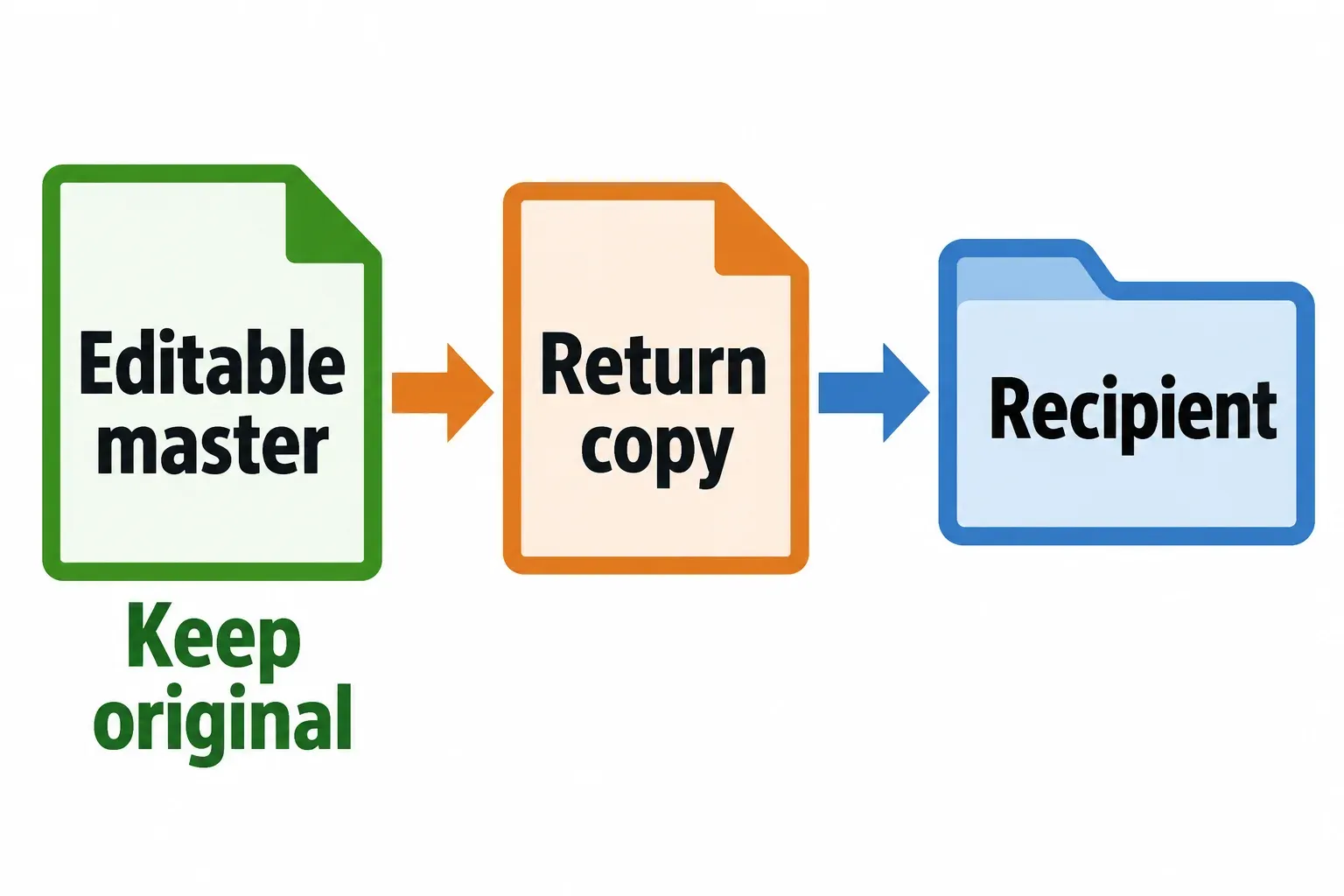
Keep the original before changing formats. For a report that will come back with edits, agree on the return format before polishing its page breaks. Avoid repeatedly moving the same master between ODT and DOCX merely because both applications offer both extensions.
Format support is a starting point, not a fidelity score
The Oxi project's published presentation benchmark compared rendered slides with Microsoft PowerPoint's own output. It covered 48 usable PPTX template decks after two corrupt files were excluded. These figures come from one publisher, which develops a competing renderer. SSIM measures visual similarity; the range below runs from the lowest to the highest deck-level mean.
| Rendering path and tested version | Mean SSIM | Per-deck range |
|---|---|---|
| LibreOffice 26.2.1.2, headless PDF export | 0.913 | 0.806 to 0.962 |
| ONLYOFFICE x2t 9.3.1.8 | 0.908 | 0.570 to 0.959 |
LibreOffice was measured on August 20, 2026, and ONLYOFFICE on August 13. Both matched PowerPoint's slide count in all 48 decks. The comparison used 150 DPI images against PowerPoint for Microsoft 365 16.0.20131.20154; its per-deck scores show much more variation between files than between the two averages. I would judge a presentation by its saved return copy, because these historical rendering results do not measure editability or animation playback.
In the It's FOSS comparison's complex spreadsheet example, Calc plotted both charts accurately but changed some colors and cell backgrounds. ONLYOFFICE skewed the first chart's axes and displayed no data in the second; formula results remained consistent. The review used LibreOffice 25.8.4.2 and ONLYOFFICE 9.3.1.8 on Ubuntu 25.10. For a workbook like that, I would start with Calc because the chart axes and plotted data carry more meaning than the styling, then check the saved return copy in Excel.
For your decision, inspect the things that carry meaning: headings and page breaks in a report, formulas and chart axes in a workbook, and fonts, object positions and media in a presentation. A file opening without an error is only the first check. The recipient also needs to open the saved return copy in the editor they will use.
The interface is a preference you can change
ONLYOFFICE's ribbon-like organization will look familiar if you come from Microsoft Office; the independent interface comparison describes that resemblance. Familiar placement does not mean every command behaves identically, so leave room to learn the new editor.
LibreOffice does not require you to keep the classic toolbar layout. With a document open, choose View > User Interface and select Tabbed if that arrangement suits you. The official interface guide describes Standard toolbar, Tabbed and compact alternatives. If you are already in the Tabbed layout, the top-right menu provides User Interface.
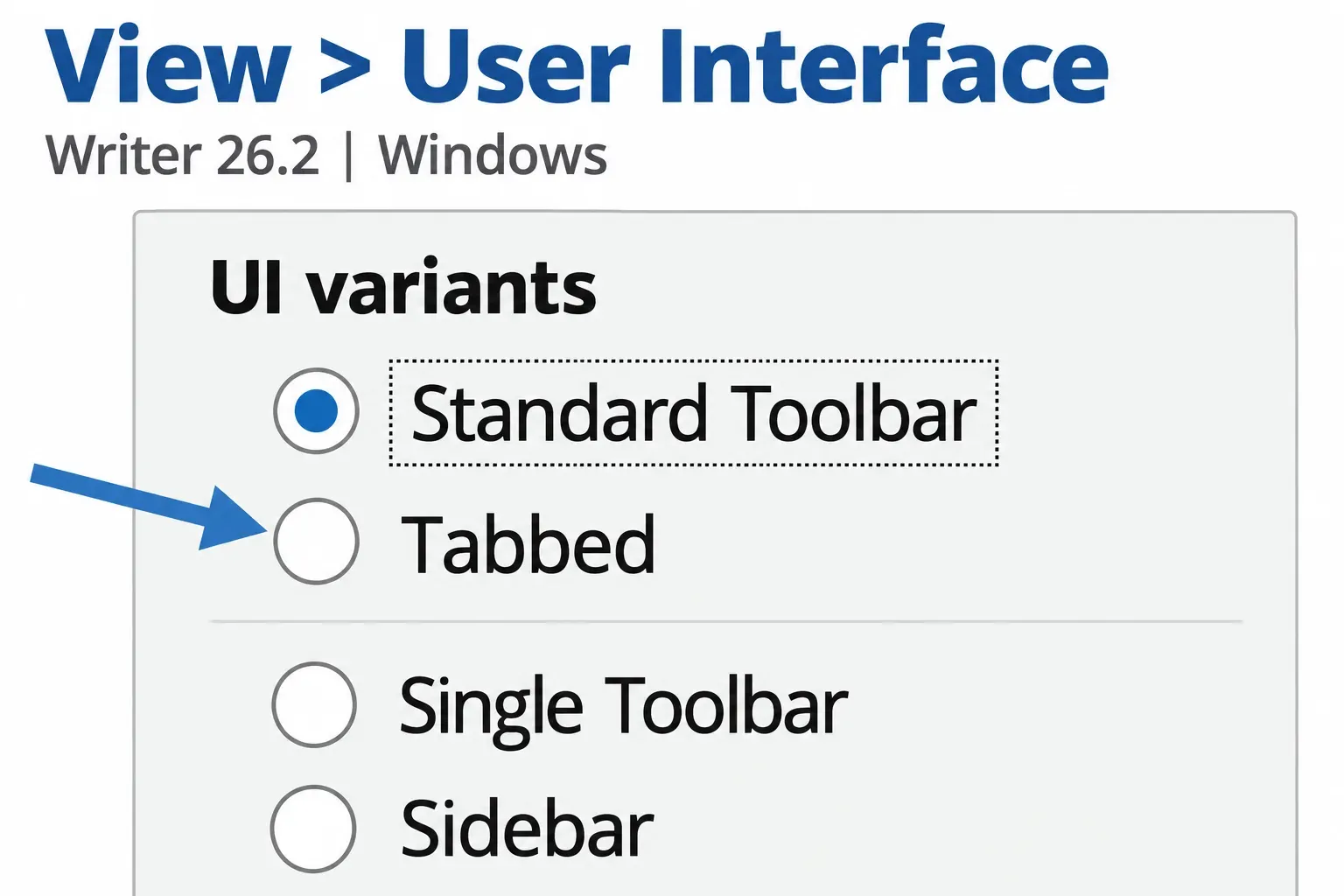
I would choose the interface after choosing the file workflow. A toolbar preference is easier to accommodate than an unreliable return copy, and LibreOffice's layout options make the familiar-versus-traditional choice less rigid than it first appears.
A team needs a named place to edit together
ONLYOFFICE Desktop Editors gains collaborative editing through a connected cloud environment, such as its own service or a supported integration. That route needs internet access and the appropriate account, server and permissions. Two people opening local copies of the same filename are not in one live session.
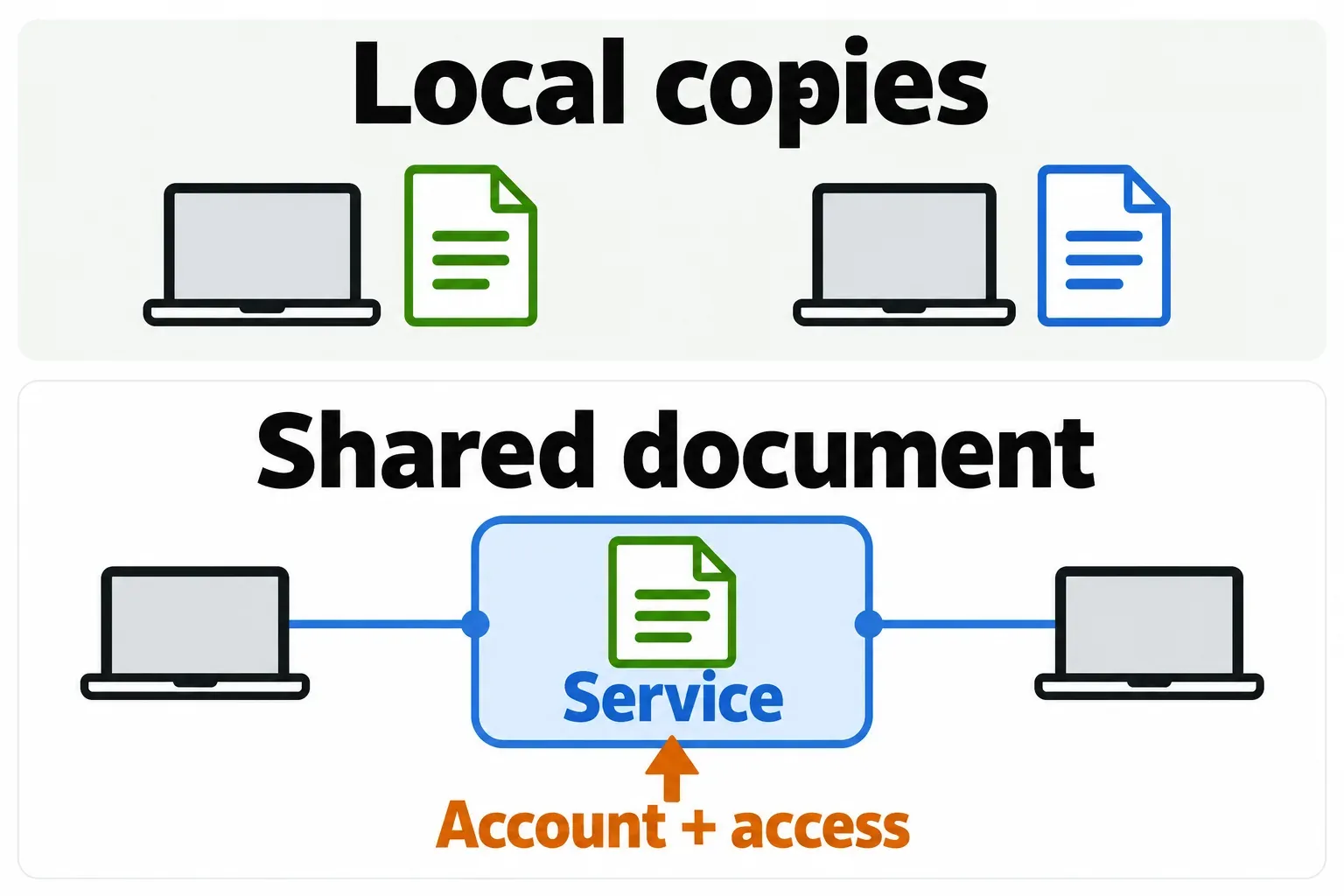
For a small team, start with the service your organization already manages, then establish whether it supports the required editor integration. If you choose ONLYOFFICE's hosted service, its current plans separate a limited free Startup option from Business. Check the admin, room and storage allowances before deciding that the free desktop app makes the whole team service free. Self-hosting also creates an administration and support job.
LibreOffice desktop should not be mistaken for an equivalent hosted subscription. LibreOffice Online is a server component that needs file access and authentication services; The Document Foundation does not provide a Google Docs-style hosted service. If live browser collaboration is essential, evaluate a supported online solution as its own product and deployment, rather than assuming the desktop download includes it.
For people who edit one after another, an agreed return-copy process may be enough. For people who must work on the same paragraph at once, the hosting, access controls and recovery arrangements belong in the buying decision.
Separate desktop cost, mobile apps and support
ONLYOFFICE Desktop Editors is free for personal and professional use. LibreOffice is also free to download directly for Windows, macOS and Linux; its optional app-store distribution can carry a charge. Hosting, administration and professional support are separate costs even when the desktop application costs nothing.
Both projects publish open-source desktop software, under different licenses. ONLYOFFICE's Desktop Editors guide names AGPL v3 for Community and lists Enterprise separately. LibreOffice's licensing page names MPL v2 and additional component licenses. If you plan to redistribute or embed software, review the applicable terms separately from the question of using an editor at work.
The desktop platform list is similar: LibreOffice offers Windows, macOS and Linux packages, and Desktop Editors supports the same three operating-system families. Select the package for your actual operating system and processor rather than assuming every machine takes the same download.
Mobile is a separate comparison. TDF offers an Android viewer with experimental editing and points to Collabora Office for Android and iOS editing. Collabora Office is a separate LibreOffice-based product. ONLYOFFICE provides its own Documents apps for Android and iPhone and iPad. A desktop recommendation does not establish that a particular mobile app has every feature your document needs.
Choose a candidate, then protect the return copy
For a solo writer, I would start with LibreOffice when ODF can remain the editable master and its wider desktop tools suit the work. If your collaborators require Word files, that requirement can outweigh the default-format preference.
For a small team, ONLYOFFICE is the more direct candidate when a supported connected service meets the team's live editing needs. Name that service and its plan in the decision; do not approve a team migration on the desktop app alone.
For a mixed Microsoft Office environment, start by checking ONLYOFFICE against representative DOCX, XLSX and PPTX copies, while keeping LibreOffice in consideration for the files it handles better. If Excel VBA or other Office-specific automation is essential, assess that separately. LibreOffice documents that Microsoft Office and LibreOffice generally cannot run the same macro code; recognizing a file extension does not settle automation compatibility.
Before replacing an established workflow, duplicate a real report, workbook and slide deck that matter to the people involved. Keep the originals, save return copies in the agreed format, and ask the recipient to inspect the details that must remain editable. Include a round of actual edits and a return trip, rather than checking only the first opening.